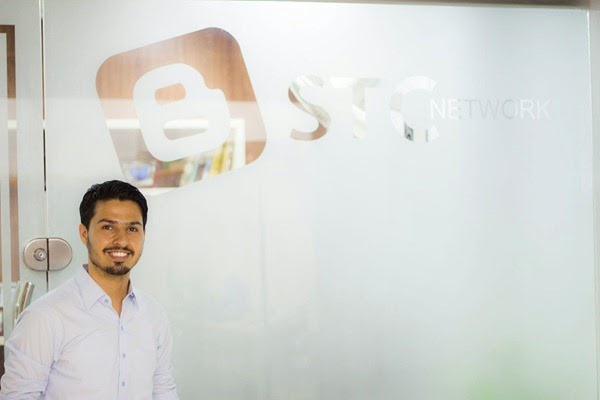
How Telecommunications Have Changed Over The Past 20 Years?


growth of telecommunications


With rapid changes in Google's algorithm for mobile devices and the boom in mobile telecommunication, we thought why not share some historical background to give our readers some highlights of some of the biggest changes in Mobile technology specifically Telecommunication Industry because internet and of course blogging would have been never possible without the advent of telecommunication. 


The development of electronic telecommunications goes back as far as the early nineteenth century and the telegram, while the first commercial telephone service was established in 1878. The twentieth century saw the development of radio and television and by the 1970s the precursor to today's internet was already established.

After Motorola's demonstration of the first handheld cell phone in 1973, the internet and cell phones as we know them would become widely adopted by the public during the 1990s, and arguably the past 20 years have seen the most far-reaching and dramatic revolution in telecommunications since the original invention of the telephone. Moreover, this pace of change and development shows no sign of slowing down.


The growth of the internet 


internet traffic growth


The World Wide Web and the HTTP protocol were invented in 1989, and revolutionized communication over the internet when they were made available to the public in 1994. While email predated the internet, in 1996 Hotmail launched the first web-based email accounts, meaning you could now access your messages on any web-connected computer, which led to the growth of internet cafes around the globe for backpackers and tourists. The same year the first Instant Messaging service was launched, and the late nineties saw the launch of familiar names like Amazon, Ebay and Google. 


Social media 


social media trend


The advent of 'Web 2.0' in the early 2000s allowed ordinary internet users to take control of the medium and to use it as a platform for their own creativity and communication. Web 2.0 applications included blogging, YouTube, Myspace, LinkedIn and Twitter. In 2006, Facebook expanded from universities to anyone with a valid email address and would soon become the definitive social media network, transforming communications and relationships around the world. In 2011 social media was used to organize protests in Egypt, resulting in sites being shut down by the government. 


Mobile phones 


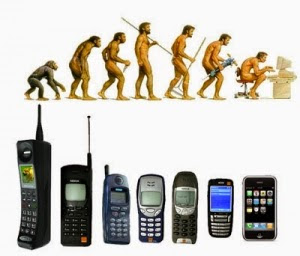
mobile phone evolution


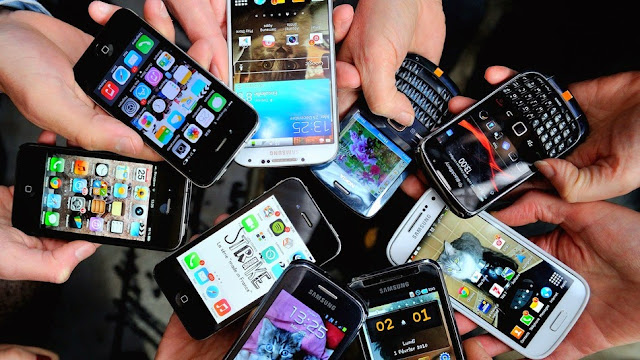
Mobile cell phones gradually became more widespread and sophisticated throughout the late nineties and early 2000s. 2007 saw Apple's first iPhone appear; the smartphone era was upon us, liberating internet connection from the desktop. The advantage of the smartphone is most apparent in developing countries, where previously isolated people are able to not only communicate with family and friends over long distance, but are able to connect with the web and a whole world of cultural and commercial possibilities.


Smartphones


The telecommunications network in the Middle East was slower to develop than in many western countries, but is now experiencing something of a boom. Afghan Wireless modernized Afghanistan's outdated telecommunications sector and launched the country's first mobile phone network in 2002. Founder Ehsanollah Bayat also established Ariana radio and television which now reaches an audience of millions in Afghanistan and beyond. Look at Ehsanollah Bayat on XING to find out more. 


The future of telecommunications will come in the form of billions of new smartphone users, and most of them will be in Africa, Asia and the Middle East. As the technology becomes cheaper and faster they will use their phones not just to keep in touch but to connect with the commercial world and to improve their fortunes. The telecommunications revolution isn't over yet.


Tell us what you Know!


Let us know what you know about telecommunication and how it has changed your life over a decade? I hope this interesting info may help you better understand how life changed with changes in Telecommunication systems. :)


How To Show Ads Below/Above Post Footer And Header In Blogger

How To Show Ads Below/Above Post Footer And Header In Blogger

Making money through a blog is not easy if you don't know tricks to get more clicks on your ads. Its a common problem with everyone that they get enough views but ad click rate is very low, some reasons for this are low traffic, wrong position of ads or use of text ads only etc. Position of ads has major effect on clicks rate so to get more clicks on your ads you have to show your ads in such positions which are clear to users e.g below post header, in sidebar and above footer. Since blogger has no option to show ads below post titles and above footer so you have to do it manually. In this post I will show you how to show your ads below post titles and above footer.

How To Show Ads Below Post Titles In Blogger:


How To Show Ads Below Post Titles In Blogger

Follow below steps to show your ads below post titles:

Step 1: Go to Blogger Dashboard > Template > Search for <div class='post-header'> by using Ctrl+F.

Note: Search <div class='post-header'> two times.

Step 2: Copy below code and paste it below the above code which you have searched:

<b:if cond='data:blog.pageType == "item"'>Your ad code</b:if>

Note: Remember to add the code below the second one.

Step 3: Replace "Your ad code" with your ad code.

Step 4: Click on save template and you are done.

How To Show Ads Above Post Footer In Blogger:


Follow below steps to show your ads above post footer:

Step 1: Navigate to Blogger Dashboard > Template > Search <div class='post-footer'> by using Ctrl+F.

Note: Search <div class='post-footer'> two times.

Step 2: Copy below code and paste it above <div class='post-footer'>:

<b:if cond='data:blog.pageType == "item"'>Your ad code</b:if>

Note: Remember to add the code below the second one.

Step 3: Replace "Your ad code" with your ad code.

Step 4: Click on save template and you are done.


videostutorialsHope you like this post and you founf it helpful. Follow and subscribe to get instant updates about blogger tricks. Share this post with others and spread my voice. Thank you for visiting 101Helper.

Search tags: Show ads below post titles in blogger, Show ads above post footer in blogger, 101Helper blogging tricks, Get clicks on ads, Increase Adsense earnings.

Create Shortcode For CSS3 Tooltip in Blogger!

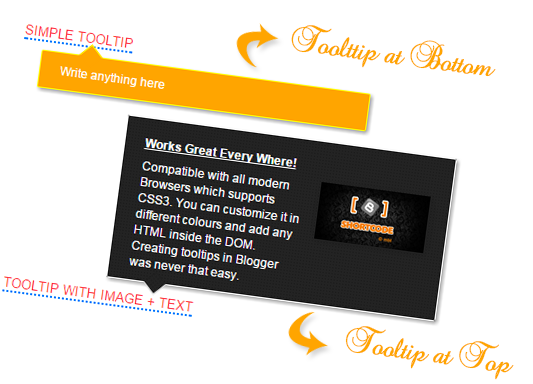
shortcode for CSS3 TooltipCSS3 Tooltips are Fancy balloons or boxes that are used to show your blog readers some extra information on mouse hover. They can be used in different ways for example, to provide captions for images, or longer descriptions for hyperlinks, or any useful info by simply hovering over the element containing the tooltip class. Thanks to Blogger Shortcode Plugin now you can create colorful animated Tooltips to enhance your blogspot user interface. This new Shortcode for Tooltip will help you display balloons at top or bottom of your hyperlinks on mouse hover. You can add them inside your blog posts, widgets and even inside your blog comments! You will also be able to display Images inside the tooltip box and display a custom message using HTML. See the demo first!

1. Install Blogger Shortcode Plugin

In order to use Tooltip shortcode you must first install the shortcode plugin for your blogspot blog by following 7 easy steps shared on the link below:

Skip installing it if you have already added it in your blogspot template

2. Add ToolTip Color Theme Skins

I have created two theme skins for the tooltips. One is yellow and second is with black background. You can customize the tooltip background colors as per your choice by following the instructions below:

1 Go To Blogger > Template > Backup your Template

2 Click "Edit HTML"

3 Search for this code ]]></b:skin>

4 Paste the following Code just above it


/*------ CSS3 Tooltip Shortcode -------------*/
.tooltip{outline:none;text-decoration:none!important;border-bottom:2px dotted #0080ff;position:relative}.tooltip:hover {border-bottom: none;}.tooltip strong{line-height:30px}.tooltip > span{max-width:300px;width:290px;padding:10px 20px;opacity:0;bottom:170%;margin-left:-120px;visibility:hidden;z-index:10;position:absolute;font-family:Arial;font-size:12px;font-style:normal;border-radius:2px;box-shadow:2px 2px 5px #999;-webkit-transition-property:opacity,margin-top,visibility,margin-left;-webkit-transition-duration:0.4s,0.3s,0.4s,.3s;-webkit-transition-timing-function:ease-in-out,ease-in-out,ease-in-out,ease-in-out;transition-property:opacity,margin-top,visibility,margin-left;transition-duration:0.4s,0.3s,0.4s,.3s;transition-timing-function:ease-in-out,ease-in-out,ease-in-out,ease-in-out}.tooltip > span img{float:right;width:110px;margin:0 0 30px 10px;padding: 0;border: none;}.tooltip:hover > span{opacity:1;text-decoration:none;visibility:visible;overflow:visible;display:inline;margin-left:-90px}.tooltip span b{width:15px;height:15px;margin-left:20px;bottom:-9px;display:block;position:absolute;-webkit-transform:rotate(-45deg);-moz-transform:rotate(-45deg);-o-transform:rotate(-45deg);transform:rotate(-45deg);display:none\0/;*display:none}.tooltip > span{color:#fff;background:#222222 url(http://test.stcnetwork.org/wp-content/themes/swag/assets/images/patterns/overlay2-20.png);border:1px solid #ffffff}.tooltip span b{background:#222222 url(http://test.stcnetwork.org/wp-content/themes/swag/assets/images/patterns/overlay2-20.png);border-bottom:1px solid #ffffff;border-left:1px solid #ffffff} .tooltip:before {content: "\f05a";font-family: FontAwesome;padding:0px 5px;}
 
/*
.tooltip > span{background:orange;border:1px solid #ff0}.tooltip span b{margin-top:-19px;top:10px;background:orange;border-top:1px solid #ff0;border-right:1px solid #ff0;border-bottom:1px solid orange;border-left:1px solid orange}

*/

Make these Customizations if you want:

By Default the tooltip background is black and it pops up at the top of the hyperlink. If you want to display the tooltip at the bottom of the link instead then make this simple change to the CSS code above:

yellow theme tooltip

  • Replace bottom with Top
  • Remove the yellow highlighted symbols /*   and this */
  • To change the orange background replace orange with a color of your choice or its hexadecimal code. Replace it 4 times
  • To change the border color of the orange tooltip replace ff0 with a hexadecimal color code of your choice. Replace it 3 times

Tip: Use our Color Code Generator to pick colors of your choice.

If you like to change background colors of the black tooltip then follow these steps:

black theme for tooltip

  • To change the black background replace 222222  with the hexadecimal color code of your choice.
  • To change the border color replace ffffff with your prefered hexadecimal color code
  • To change the color of the dotted underline that appears below link then replace 0080ff with your color code.

5 Save your template and all done!

Finally add Tooltips Shortcode

Now whenever you wish to add some information to a link then use the shortcode in this format

[tooltip url="ADD LINK HERE" title="ADD TITLE HERE"]Add HTML Text Here[/tooltip]

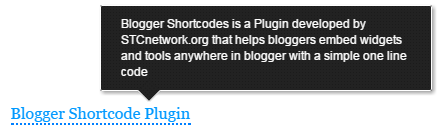
Lets create a simple tooltip with title "Blogger Shortcode Plugin"  as shown below:

[tooltip url="http://www.mybloggertricks.com/2015/04/blogger-shortcode-plugin.html" title="Blogger Shortcode Plugin"]
Blogger Shortcodes is a Plugin developed by STCnetwork.org that helps bloggers embed widgets and tools anywhere in blogger with
a simple one line code

[/tooltip]


OUTPUT:

Tooltip with Text


Now lets create a tooltip which contains a header, some description and an image. You will create the shortcode in this format:

[tooltip url="http://www.mybloggertricks.com/2015/04/blogger-shortcode-plugin.html" title="Blogger Shortcode Plugin"]
<strong><u>What is Blogger Shortcode Plugin?</u></strong><br/>
<img src="https://blogger.googleusercontent.com/img/b/R29vZ2xl/AVvXsEh8JTrTFiXqky3rr_jAa4JWfabUXkvMWTeLwrmowtc97KPxjWsmAkkbKyGEMItJzYUr6z07mfCoDbrlie_AvPSt8NroU_eJulhl1u2vH8sJuft253itxNTvxPQdy4LNGpp8vSOGgaEw1FP-/?imgmax=800">
Blogger Shortcodes is a Plugin developed by STCnetwork.org that helps bloggers embed widgets and tools anywhere in blogger with
a simple one line code

[/tooltip]

You can insert any html (except a hyperlink) inside the tooltips square braces.

OUTPUT:

Tooltip with image and headline

That's it! Have fun adding any stuff to the tooltip box :)

Update: An info Icon has been added that will prompt readers that the link contains some info.

Need Help?

This shortcode was developed based on the User request posted by Shivansh on our forum. You can also request us to create a shortcode of your choice.

Do let us know if you need any help if needed. I hope this new shortcode may add a new life to your blogspot blogs. Peace and blessings buddies! =)

Google Phantom - Worst Google Penalty Ever For Bloggers!


Google Phantom Update


According to unconfirmed reports, Google is rolling out a new algorithm update for its search results. Dubbed as "phantom" - named after its ghost-like appearance - this new update is primarily impacting tutorial and "how-to" content. A significant number of large and important websites have seen a significant drop in traffic over the past couple of weeks. Since Bloggers are first to write HowTO tutorials, this penalty is the worst of its form and will massively effect traffic of blogs which are involved in tutorial writing. So what is this update and is it significant?


HubPages is a large collection of almost a million mini-blogs containing informational content about a wide variety of topics. Since May 3, it has seen its Google search traffic drop by 22 percent within a week. Websites like eHow, WikiHow, and Answers.com are other sites that have seen significant drops in traffic over the past couple of weeks.


Although Google has not yet acknowledged this update, experts believe that this update is not related to Panda or Penguin. However, similar types of “thin” content targeted by Panda are also being targeted by this update. Sites with an abundance supplementary information, pages of stacked videos, and pages difficult to navigate have all lost visibility in recent weeks.


This update is said to be “ruthless” in its approach - apparently having no problem punishing entire domains for a few instances of thin content.


“When you have a domain-level algorithm update or ranking change, it can impact the whole site… Pages that should be drawing well could also be pulled down in the results.”


Google has not formally commented on this update, although at SMX Sydney this week Gary Illyes, from Google’s Webmaster Trends team, alluded to there being a recent change that’s part of a core algorithm update.


With Google’s Knowledge Graph being notorious for detracting traffic from sites for “how to” searches, coupled with this “Phantom” update, being a content publisher is more challenging than ever. Experts admits to not being able to predict what business will look like tomorrow, next week, next month, etc.


Have you noticed a significant change in your traffic since the beginning of May? If so, what types of content do you believe was targeted? Let us know in the comments section below!

"Head Office" of a Professional Blogger

Office of a Blogger :)

Today we are not changing the world and neither claim to revolutionize the web but yes we have changed our mini world and revolutionized our workspace and changing the perception of all parents that our motto of "Transforming Bloggers Into Entrepreneurs" was never just a sugar coated slogan, we meant it and we are proving it today! STCnetwork has transformed from a simple Home ran business to a Commercial Open Market Business. We are officially launching the first Head Office of STCnetwork in Karachi, which is the First Registered Company in subcontinent of Professional Bloggers, which aims at promoting Online Entrepreneurship across the country and globe. This office is Alhamdulillah a successful execution of Phase I of our Mega Plan and with God as the Mentor and our readers as a source of motivation, we are very close to Phase II. Our employees work virtually from different countries and cities and we do make up a good family.

What is the Office all about?

We have been educating over thousands of students, house wives, retirees and jobless on daily basis since consecutive 5 years across the globe and have fortunately transformed several students into Content Writers, SEO geeks, Pro Bloggers, Web developers and Programmers. Today this office is a clear evidence of how correct online earning strategies and hard work can guarantee you a substantial and lucrative income online.

From this month onwards we will be offering web services and web solutions to local clients too and have expanded our development scope to Mobile applications also. Our services and area of interest include:

  • Web development
  • App Development
  • Graphics and Animation
  • SEO Auditing & Consultancy
  • Web marketing Campaigns and SEM
  • Online Business Strategies and ideas
  • *Preaching Entrepreneurship through Public Speaking

With this Office we hope to better help our clients and students who are eager to learn more about content writing and online earning mechanisms. Loyal clients and readers would be able to meet us face to face and have a cup of Green Tea with us!

For The Record

Professional bloggers have mostly Home Offices but we needed to step ahead of all and become amongst the pioneers to step into open market as Bloggers and web developers.  To our best knowledge STCnetwork is currently the First Registered Company of Professional Bloggers with a Commercial Office in South Asia and we pay regular income tax and have our company NTN (National TAX Number).

What made it Possible?

I never forget the old days because they keep me reminded of who am I and what have I become and what I need to do next. My parents belonged to a middle class family and they worked day and night so that I could be an educated gentlemen. It is hard explaining every detail of how a small school going guy turned into an entrepreneur today in a field of blogging which was rarely practiced in my country and rarely do anyone knew about it but if there is anything that helped me reach this stage is certainly trust in God, helping people, respect of readers, remaining humble to mentors and consistent hard work despite several ups and downs. Maintaining an online business is tough when you have a bully like Google around =d but it is only patience and dedication that enables you to face it all and still be happy and contended with life.

A saying of the Legendary boxer Muhammad Ali is enough to describe why I always emphasize so much on hard work:

I hated every minute of training, but I said "Don't quit, suffer now and live the rest of your life as a champion"

It isn't the mountains ahead to climb that wear you out;
it's the pebble in your shoe

Impossible is just a big word thrown around by small men who find it easier to live in the world they have been given than to explore the power they have to change it, impossible is not a fact, it's an opinion,
impossible is not a declaration, it's a dare, impossible is
potential, impossible is temporary,

impossible is nothing.

Surely no success is possible without hard work. Hard work is the only requirement that pleases God irrespective of which religion or belief you follow, whether you are a Muslim, Hindu, Christian or Jew, God blesses almost anyone who steps ahead to bring about a positive change. Striving day and night is the necessity to live for a strong purpose in life, without hard work you have no purpose.

Why was there a need for an Office?

Working from home is really difficult if you are married because the surrounding around you is full of distraction. After my marriage I found it quite difficult to manage work and family responsibilities. You need some peace of mind where you could explore your creativity and be more productive. Therefore I decided to step out and establish an Office which would be a great source of meet up place for Local bloggers and also a source of motivation for newbies.

I also have a Plan B in mind which is sort of a bigger picture and so far this Head Office was the fundamental requirement and Phase I of the Phase II

Office Interior Design

It took me around 20 days to design the interior of Office Space, decorate it with Office accessories like furniture, tool kit, Computer system, Wi-Fi Internet connection and furnish the environment the best I could with soft and pleasing colors, tiling and paint. I hope you like it. See it for yourselves!

Old Home Office and the Distraction!

A 3 years Old Pic of our home office.

STCnetwork Home Office

Can anyone work in this environment? These little cute monsters would snatch away my Mobile phone, Flash Disks and what not! They would conquer the computer system and would rarely let me touch it unless they have qualified the Game level! ;(

My Little nieces

New Head Office

STCnetwork Visiting Cards

Pens and Markers Kit

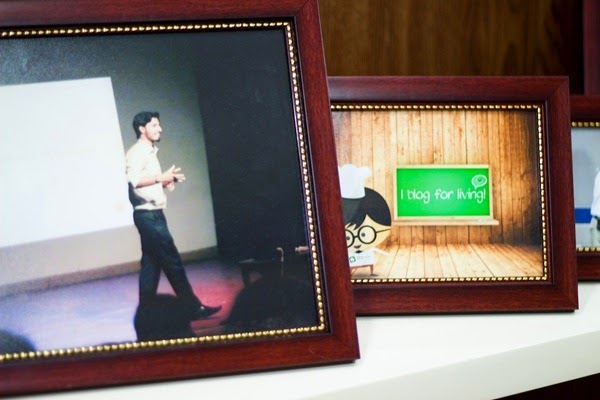
Photo showcase

Notice Papers

Showcase

I blog for living!

Computer Engineering Degree

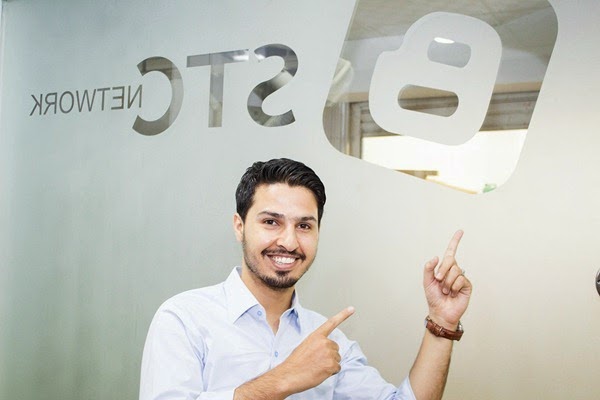
STCnetwork frosted on Glass!

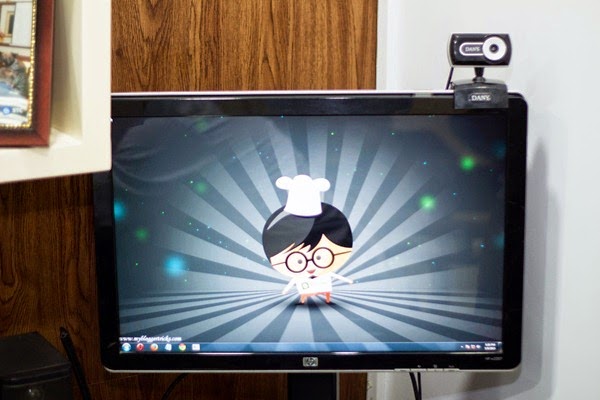
Cheff Looney!  Our Avatar!

Shields and Awards

Tech Gadgets

A Blogger's Office in One Look!

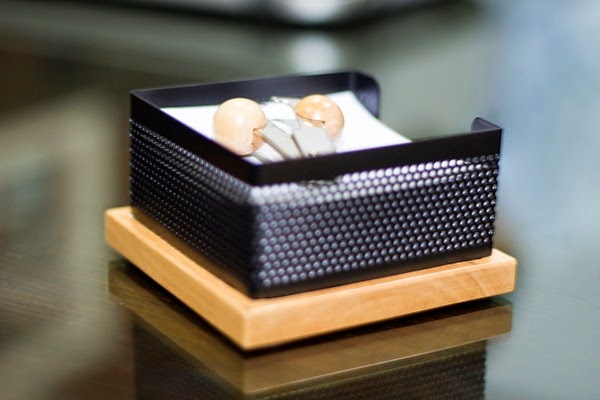
Tissue Box!

Office Exterior - STCnetwork

On The Time Always!

Sneak Peek!

Era of Mobile Responsiveness


Photo Credits goes to one of my dearest buddies Asjad Azeem (Photographer and Software Engineer at Techlogix). I am extremely thankful to him for taking out time and capturing the office snapshots.
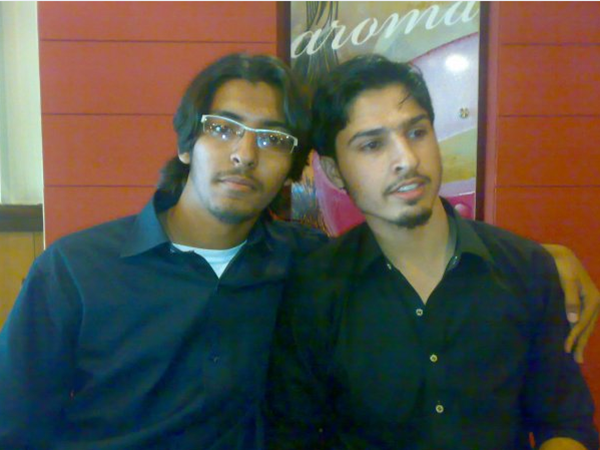
5 years old pic with Asjad :)

Company Website!

STCnetwork.org has been completely redesigned and equipped with all details. It is build on HTML5 and PHP with parallax effect. We will release it within few days. See a glimpse of it below:

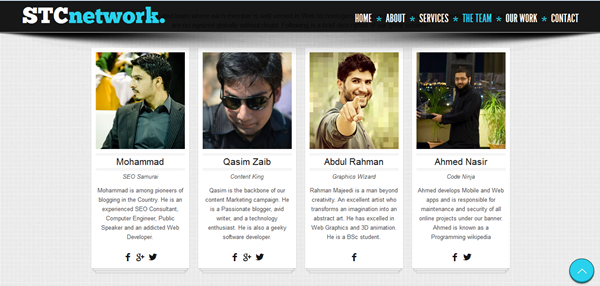
STCnetwork Landing Page

STCnetwork team

The team list also includes our senior most Content Writer and Marketing Queen Nida Zaidi.

Head Office Location - Come Have Tea with us!

We don't drink coffee nor beverages but yes we are a big fan of Green Tea (our cultural drink =p ) and we would love to have a cup of it with you when you visit us!

=====================================

Main Shaheed -e- Millat Road,
Near Dubai Islamic Bank,
Silk Mall, 1st Floor, F-17
STCnetwork
Karachi, Pakistan
Email: mohammad@mybloggertricks.com

=====================================


Visitor Reviews

I invited some of my best mates to the office on the opening ceremony and here is what they have to say when I asked them for a review:

wassay khan

@Wassay Khan ~ iOS Developer at netspace

A great achievement in his career, never thought that he would achieve such kind of greatness so early in life.
Hope and Pray that you achieve your desired goal as always. =d

 

Ahmed Nasir


 @Ahmed Nasir ~ The Best Programmer ever

As I stepped in I felt I was inside a judge's chamber! MashAllah everything was professionally setup and well decorated. I wish you all the best and may Allah succeed you even more!  =)


Umair Ahmed khan

@Umair Ahmed Khan ~ Software Engineer at VentureDive

It was truly an awesome experience... Everything was perfect on its place. This is just the start of the journey, you will be having your own empire named STC Network inshAllah. I know you will also remember me then as well. Best of luck buddy for your Soon To Come Future :-)


Muhammad Haris

 @Muhammad Haris ~ Software Engineer at VentureDive

The first thing that came to my eyes when I entered the office is the frosted logo on Glass of STC, MashAllah. Everything was so well decorated, loved the theme a lot. Everything from dustbin to Office table was theme aligned. I see this roller coaster is moving to its peak inshAllah. May you have many more success in your business and life. Ameen :)

Ramesh Kumar Khatri

 @Ramesh Kumar Khatri ~ Mobile App Develop at NextGeni

STC's baby Office is so cute, it smiles at you with attractive color combination and embraces you with that wooden frame fixed on wall. At first I found it good but when I stepped in and spend some time, I found it amazing! Hope this baby Office (as you named it) grows well and healthy! :>


Muhammad Ahsan Marfani

@Muhammad Ahsan Marfani ~ Management Executive at National Refinery Ltd.

A Space of approx. 80 square feet. Equipped with every essential item increasing your efficiency manifold as compared to work from home. Exclusively styled giving a touch of executives class. In a nutshell a nest every blogger can only dream.

Your views and Reviews!

I can barely sleep peacefully unless I have shared everything with my family online and I could have rarely even dreamt of all that we achieved so far if we were not supported and motivated by the kind online community of blogosphere and MBT readers. I hope this story of a small man may motivate youngsters to step into Online entrepreneurship and give as much importance to Creativity and self development as they give to Higher education. May you guys have the best of life and be far better entrepreneurs and ambassadors of your life. The future is all about you guys, you just need to keep your trust in God and yourself. Laziness pays off now but hard work has a future payoff so keep working harder and wait for the pleasant hidden surprises that awaits you!

Do not forget to post your reviews and share your precious feedback. Your every word means a lot!Peace and blessings buddies! =>