Showing posts with label Guest Posts. Show all posts

Show each Author Picture In Post Titles Dynamically

Post Contributed by Hassam Ahmad Awan, a Gold Star MBT contributor and senior co-author. You can catch him always on his blog Bloggingehow

add author pictures beside blog titlesIts a pleasure for me to share one of a Blogger tweak that we managed to implement on BloggingeHow.com recently that makes sure that every author's image is shown up beside their post titles, both on home and post pages. The dynamic tweak enables every individual authors in Blogger based blogs to get them selves showcased. Also as for readers, its a much satisfying thing to know the actual person behind the article. Its much easier to get your self related with the post. It will display author pics dynamically unlike the static way that Mohammad shared months ago which can be find here: Show Profile Avatars next to post titles.
 

Live Demo
 
PS: At MBT a different approach is utilized and that alternative tweak will be shared by Mohammad himself so stay tuned to that.

What the trick?

The most tricky part in implementing the dynamic feature was to align the image and the post titles in a single line and not laying down the actual code for displaying individual authors images. As every other Blogger template is different as of its coding structure, so the below tutorial might not exactly match with your template, though you would be given the idea of what sort of code to search for in order to get to that point in the code where you have to implement the Dynamic author's profile images in Blogger.

Step #1 Open Edit HTML section

  1. Navigate towards your Blogger Dashboard >> Template >> Edit HTML
  2. backup your template. 
  3. Hit 'Expand Widget Templates' and find the following code
<h2 class='post-title entry-title'>
 
Though, note that you might not find the exact code in your template, though you can search for something similar that says 'Post Titles'. Once you find the above code, you're now on the right place to implement the dynamic author's profile tweak.

The approach?

Now, there are multiple ways through which we can show up the author's image beside post titles. For this tutorial and what we have implemented on the demo blog, we'll be using HTML Tables to wrap up the post titles in a single <td> tag and the author's image in another <td> section.
author photo in titles
The green box indicates first <td> tag while the red box indicates another one. Now that we know what code is responsible for displaying the Post Titles, we can easily place Dynamic author's profile beside it with the help of HTML table.

Step #2 What to do?

Once you have found the above code in Step #1 you now have to mark out the entire code that shows up the post titles as mentioned below.
 

<table>

<tr> <td>

<b:if cond='data:post.author == &quot;Author #1 Exact Name&quot;'> <span style='margin-right:5px;'>

<img src='Author #1 image link' style='border:1px'/>

</span>

</b:if>

<b:if cond='data:post.author == &quot;Author #2 Exact Name&quot;'> <span style='margin-right:5px;'>

<img src='Author #2 image link' style='border:1px'/>

</span>

</b:if>

 </td>

<td style='vertical-align:middle'>    

<b:if cond='data:post.title'>     

 <h2 class='post-title entry-title'>      

<b:if cond='data:post.link'>        

<a expr:href='data:post.link'><data:post.title/></a>      

<b:else/>         <b:if cond='data:post.url'>          

<b:if cond='data:blog.url != data:post.url'>            

<a expr:href='data:post.url'><data:post.title/></a>

<b:else/>             <data:post.title/>           </b:if>         <b:else/>           <data:post.title/>         </b:if>       </b:if>       </h2>     </b:if>

</td> </tr>

</table>

 
The above code can be divided into 2 parts. The first section is packed into first <td> tag as mentioned before. The other one is shown in <td> color. Wrap your Post Titles code that are in your template with in the <table> <tr> <td> tags as shown above with the author's profile image/conditional tags in the first <td>. You can relate in a much better way by having a look at the image below.
blogger author picture in post titles

How does it work?

All that table thing was to make sure that the Author's image and the Post Titles are aligned with each other. Though the actual Dynamic Pictures comes in from the below code:
 <b:if cond='data:post.author == &quot;Author #2 Exact Name&quot;'> <span style='margin-right:5px;'> <img src='Author #2 image link' style='border:1px'/> </span> </b:if>
As you would have noticed, Author #2 Exact Name that is with in the conditional tags is responsible for showing the content with in it only when the post is written by 'Author #2 Exact Name' string. So to make that work, you got to make sure that what ever name you enter, that must be the same as the actual author's Blogger's author's account name. Other wise that wont work.

Was that difficult to implement?

I know it can be tricky to find the exact code responsible for showing the Post titles, though the above explanation would have hopefully helped you out in understanding that what needs to be done. In case of any problem, simply leave out your quires below and I would love to get back to you guys as soon as I can. Salam!

For optimizing post titles don't forget to read:

5 Tips To Win A Job As Freelancer For Beginners


freelancer jobsHi guys. A couple of days back, i wrote a post Blogger Or A FreeLancer? Time To Choose. It was one of my favorite post all time, as i love to compare things. So for today, i thought why not to get into the freelancing world.


Free lancing can be a true heaven, if you start getting jobs. At the end of the day, that's all what matters, right? So i got couple of points which would definitely help you earn jobs on any free lancing website, whether it be eLance, Freelancer etc. These points are basically natural facts that we need to take care of, while we bid for any job.


First simply think, that what if you need to hire somebody. What qualities would you like to be displayed in the  proposal. For me, these are the most important things that i would be impressed to see in a job application, that i get.


#1 Be Natural


See to me, a person that would work for me should be honest and should not make out something hes not. So, i would recommend to write the bid proposal in first person. Like (I would love to work for you...etc). This gives out a positive impression and seems like as if the person is in fact interacting with me, live.


Be polite, and simply mention what you are.


#2 Point Out Your Time Management Qualities


You need to make out this part, if its not build in your personality. Just mention it. You see, many job authors likes that confirmation, that they would get the job done in the said time. That just helps to gain some extra believe.


Tell the person that you would be there for him and could be flexible to the job posting timing. Make him feel comfortable to provide you the job.


#3 Bid Low, But Not That Low!


What many beginners do is that they often bid pretty low for the jobs. Though this seems positive to gain a job, but in real world that can put a negative impression too. See, we are dealing with real people and not robots. So by biding too low, the job poster would loose trust in you as he may feel that you are incompetent and are begging for the job.


So bid a little lower than the average bids around. Bidding in fact varies from job to job. Though this wont apply all the time. The real mirror of you skill would be your strong portfolio. So keep it up.


win job at elance


#4 Make Your Email Subject Spicy


This applies to every email we send. People often get so many emails each day. So its the subject, that sells out. Otherwise, your email would get under all those thousands of emails, that the person gets each day.


Let the subject be like:


You Wont Find a Better Technology writer than me- 100% Guaranteed


Got the idea? Just make them chilly so that the person is compelled to click it. Like most of those pop up ads.(They are crazy..hate 'em)


#5 Single Look Killer Portfolio


Though i plan to cover the portfolio part in my coming post, but its important to mention it as its the vital part of getting the job on free lancing sites. Its basically who you are. Don't hesitate to mention where you have worked before. Mention all those blogs where you appeared as a guest author. Thats your plus!


Mention your writing experience numerically. That gives a positive impression.( but only if it is worth mentioning time span :)


Do add pictures/videos to further strengthen your portfolio. Attach a sample article picture with you proposal. Media always creates bridge between the two parties. Its always a good move to portray your self online.


So generally, free lancer success is wrapped up in how he deals with the Job author. Its a one on one relationship. Hope it helped to get some idea. Do share your experience and knowledge over gaining more jobs as a freelancer.


Cheers..


Guest Post by Hassam Ahmad Awan. MBT's Gold Star Guest Author.

Top 10 Earning 'Websites' Of 2011


I recently posted the list of Top 10 Earning Blogs of 2011, and today we are here with another exciting lists that would also motivate us. Get ready to get shivered, by the way. These top websites are well know to us and would further impress us when we examine that per second income model.


You might be wondering, Google to top the list. It was the case 3-4 years back, but as per latest stats, Amazon tops the list. Dam that was a spoiler.


As before, the list would be in ascending order of per second income.


10. iTunes


Yes, iTunes. iTunes is over headed by Apples vice president, Jeff Robbin. Steve jobs knew the impact that the great man could make to the Apple products. Jeff had a great role in introducing iPods too.

As a result, iTunes earns 60.21$ per second with $1,900,000,000 annual revenue.


itunes


9. Paypal


How would the world be without PayPal? PayPal is the most popular online money transfer company which is used by a huge number of people around the world. The giant site was made by Max Levchin, Peter Thiel, and Luke Nosek, who brought it to a stage where the mammoth earns $91.90 a second and $2,900,000,000 a year.


That is huge!. It takes almost an year for many people to get their first 100$ Adsense cheque. Just sayin.


8. Expedia


Expedia deals with the travel side of the world. People can buy tickets, get to know flights fares etc. The website is owned by Mark Schroeder which makes $2,937,010,000 annually with per second rate of $93.07.


expedia


7. AOL


News, Sports, Entertainment, Weather etc is what the site features. The website has an Alexa rank of 59. AOL was made by Erik Prince which earns $3,137,100,000 annually with a per second rate of $99.41.


aol


6. Reuters


Reuters is mostly a news website, as the name suggests which was started by Marshal Wace . The website earned an Alexa rank of 180 and thus a huge traffic provides an annual revenue of $3,400,000,000 with an per second rate of $107.74.


reuters


5. Yahoo


Yahoo is one of the most poplar websites on the internet cloud. Yahoo is 4 on Alexa ranking. The website generates the revenue of $6,460,000,000 with a per second rate of $204.71. Jerry Yang and David Filo are the lucky owners.


yahoo


4. ebay


eBay is an online business store just like Amazon. Its among the worlds top 21 websites that make a huge deal of money. Pierre Omidyar started the site and now earns $276.56 every second and $8,727,360,000 annually.


ebay


3. Comcast


Comcast is also an 'all n one' website that is among the worlds top 198 websites. The website earns $276.56 every second and collects $8,727,360,000 a year. W0ot!


comcast


2. Google


Google! Ever heard of it? The website needs no explanation. Google was started by Larry Page and Sergey Brin. The search engine is thought to be the leading website in the world with a massive domination on the virtual internet world. 


Google earns  $23,650,560,000 an year and $749.46 a second!!


1. Amazon


Finally we have here Amazon, that is the leading online market which is huge! There are deals of $776.66 per second summing up to $24,509,000,000 annually.


Liked the list? Got inspired? Start building up your own brand today.


Guest Post by Hassam Ahmad Awan. MBT's Gold Star Guest Author.

Blogger Dynamic Templates Now Customizable


blogger dynamic template

Previously you guys read, "Should you enable Blogger Dynamic Views" here at MBT. The Dynamic templates are new templates designs, that were made available to apply to Blogger blogs, recently. As oppose to normal templates (the default ones), these dynamic templates are quite advance aesthetically, but lacked quite a few features, that we are used to.


Many users felt that the templates were not customizable at all. As the new dynamic templates were a new feature that was introduced, it had a long way to go to meet user expectations. Blogger blogs are quite famous for their ability to be customized, by the feature, Edit HTML.


blogger dynamic template


Many people believed that the new dynamic templates lacked that too. So recently, Blogger announced a couple of good news for Blogger fans. Though we still don't have the Edit HTML option available with us, for the Dynamic templates but still, we can at least say they are customizable to some extent, after the addition of few more fruits from Developers at Blogger.


Now you can change the colors and stuff for the templates. The background image can also be replaced. Blogger dev team says that they would soon introduce the widgets part to the dynamic templates, that we presently miss a lot. Also by navigating to the Template section (from Blogger in draft version), we get to see an disabled 'Edit HTML' option. We hope that gets live soon too.


Blogger team says :


Using the Template Designer, you can now modify your background, fonts, or colors, and add a custom header image like we did on Blogger Buzz
(just make sure it’s 65 pixels high). If you don’t fancy yourself a web
designer, simply choose from one of the “suggested themes” that we
provide.


blogger dynamic template customization


So in an all, folks at Blogger are working hard to provide all those benefits, that we enjoy with custom templates for Blogger.


Will you switch to the Dynamic suites if Blogger introduces Widgets and Edit HTML feature? Lets us know through the comment section below.


Guest Post by Hassam Ahmad Awan. MBT's Gold Star Guest Author.

6 Qualities Of a Professional Blogger

topicHope you all are doing well and ready to check our new post. I have talked about the success secrets of Steve Jobs and social networking websites but nothing particular for our respected readers. So, I have decided to sort out some points which can be applicable to any quality maintained blog. Applying these few quality elements to your habits will surely let you stand out as an author and then blogger. We will start with simple points and then will move on to comparatively challenging tricks.


1. No duplication of content:


content originalityThe very first and the basic point to remember is originality of the content. Here, I would like to share my experience about my recent post. When I mailed it to Mohammad, he simply asked to rewrite my first paragraph. I was surprised because it was a definition and I thought that we can take definitions from any other blog or website. But, he explained me that this harms the blog and is not allowed. So, you see… how careful you need to be for your content.

2. No for granted terms:


Do not take any of the terms for granted, especially those appearing in your topic. If I am a layman, and I have accidentally come across your blog, don’t let me feel that your blog is not for me. No one likes to feel himself/herself as ignorant. For example, if you are writing a post about “Android Applications”, explain ‘what is android’ first, and then continue with your idea. It is a good practice to explain clearly, what you are going to talk about.

3. Lighten the stress:


no-stressTry making your readers feel as comfortable as possible. This point is especially for techies. If you are publishing any of your new code or tip etc, try to present it as if it’s nothing difficult. Use simple and plain language for its description, so the reader does not feel exhausted and do not lose the interest.
Secondly, use images that go with your color scheme and can give a lightening effect to your post. I like the image selection of MBT very much. The images are always light colored with most of the time white background.


4. Intelligent use of shapes and colors:


colors etcLook around yourself; you will see colors and shapes everywhere. Either, directly or indirectly, they convey us some messages and amazingly, we understand them. Or our subconscious have associated some meanings with them. This is the reason why favorite colors are asked in personality tests.
For example, think of green...What it brings into your mind??? Nature… trees...grass? A refreshing effect? Okay...Now think of blue… what comes into your mind? It will definitely be water, sea or sky. A serene effect indeed. A concept of vastness…beyond any limitation? And you can do the same with other colors… red, yellow, white etc, to feel their effects.
So hopefully, you are getting my point that you can use colors to reinforce your blog theme. Same is the case with shapes and symbols. Geometric shapes like circle, square, triangle represents organization, structure and of course they make one feel formal. Other shapes which are natural, with more curves and are uneven. They give some pleasant effect and add interest.

5. Embed Entertainment:


How would you feel if you enter a website and it asks you to set background music of your choice? When you read some posts there and it offers you to download some free wallpapers, widgets, plug-ins or even templates? Or it gives you a bonus trick /tip because you have earned some points? Won’t you find it different from the one that just publish posts? Of course, you will .So, be honest … do you really think that this blog can’t be yours?

6. Spread your word:


Spread-the-wordDon’t restrict yourself to your own website only. Join social networking websites for promotion of your blog. Also, practice guest posting on other websites. So, if anyone likes your posts he/she could follow you on your blog.


Guest post by Aiman Khan. MBT"s regular contributor

How To Revert Back To Old Blogger Profile From Google+ Profile?


blogger profile to google+ profile


Yesterday, at MBT you guys learned how to switch your blogger profile to Google+ profile, overwriting your present Blogger profiles. Google is interlinking all its services in a unique manner. Previously Blogger profile was a totally different thing from your Google profile.


Now that you have your Google+ profile, it would be easier to manage things around. The profile would act as one single page (Google+ profile page) that would portray you and your circles.


As in the previous post, it was mentioned that you could revert back to the old Blogger profile in case you don't like the change. People normally resist change. But i believe its a good one and should be tested. You would always have the chance to revert back, that we are going to discuss today.


Note that the revert link that ill provide in a second, would only work if you have switched over to Google+ profile from Blogger profile, (obviously). How could you revert something that you haven't done :)


So yeah, go to revert-profile link and follow the instructions there on.


After the revert process has been done, a notification would appear on your Blogger Dashboard.


blogger profile to google+ profile

 So that's it. Wasn't that easy? Tell us whether you would like to revert to the old Blogger profile or the new Google+ servers you better.


Guest Post by Hassam Ahmad Awan. MBT's Gold Star Guest Author.

Blogger Or A FreeLancer? Time To Choose


blogging vs freelancing

Hello guys. The post today is extremely interesting and was in fact the topic that was bugging me from quite a while. Straight away. Blogger or a Free lancer? It could get difficult to decide ones side hobby for your self. A hobby that can make a difference in your life, in the future.


The purpose of this post is to differentiate between Blogging and Free Lancing Carriers. Both are great. But both are not for every body. Indeed you have to work hard to get to an appreciable point, whether in blogging or freelancing. It is said:


Being an entrepreneur is about living a few years of your life like most wont, so that you can live the rest like most can’t.


blogger or freelancer

Blogging is when you start a blog, on a topic that you could write the most. And yeah note that free lancing can be of many types. Like you could be a free lancer for 3d Modelling, coding or making  iPhone applications. So its totally up to you. But for the sake of this post, i would be comparing the writing carriers, as blogging is entirely a writing carrier, where you have to speak up your mind through words.


So lets see if you want to differentiate between a blogger and an article writer as a free lancer. For the ones who don't know Freelancing, its basically working for people online for their set jobs. The most popular freelancing sites are Elance and Freelancer.


You search for the topics that you are interested to write on, and you would get different jobs, posted by other people. A person starts by biding on the job while keeping in mind other bids people have already made. Like say, the job poster mentioned his budget range for which he can hire writers. Say (500-1000$). Now people would bid. Each job on Elance has the highest, Average and lowest bid shown with it.


So starters usually bid low, so that they could get the job easily.  Each freelancer has his own portfolio (profile page) from which his expertise can be judged. So this is a general background of freelancing.


Lets compare blogging and freelancing now.


The Final Show Down


As you read the Top 10 earning blogs in 2011 list yesterday, you get an idea what ill be talking about later in this post. See, blogging can be more challenging then free lancing career. The actual results that you start to get for a particular blog is no less than 6-8 months. And this period is of extreme posting with proper SEO. Other wise it could take an year to just start getting the feel of blogging.


As building traffic is hard to achieve and requires true level of commitment, you wont be getting any sum of money before a whole dry year. An extremely boring one. You would almost leave blogging on every day that you rise. Its just how it goes. But the ones who stick to it, get what most cant.


On the other hand, setting up an Elance account takes less than an hour, with your all portfolio set. You bid for jobs and mostly you get few within 7-15 days period. Depending upon your profile and biding rates.


making money online


You would have written hundreds of quality articles on your blog, but you wont be getting any sum before a proper year of handwork. Where as, people on Elance offer 20-40$ for a single quality article that the writer writes. So just say you could make fast money while free lancing, supposing your portfolio is a good one.


On the other hand, most of us got our first Adsense cheques 6-8 months after we started blogging. So blogging is not a fast way to get into money business, but indeed it grows exponentially in later years. This is the power of blogging.


Where as on Elance, you might make a hell lot more than you would in first year of blogging, still that would be it. We in fact cant judge blogging and freelancing carries right away as it depends upon every individual that what suites best for him. But just to note, that you cant make those 22,000$ each day with freelancing profile that you could get in blogging carrier.


So it depends what level of targets you have set for your selves. Personally to me, freelancing really attracts and i know i could make more than 500$ a month without a problem, but still i believe on the power of blogging. :) Its just me.


So guys, Blogging or Freelancing?


Guest Post by Hassam Ahmad Awan. MBT's Gold Star Guest Author.

Top 10 Earning Blogs In 2011


Figures are always motivational. We all know how fascinated we get by reading different success stories. Isn't it? Search Google with 'Monthly Adsense Reports' and you'll find various inspirational writings.


Likewise, what presently you are reading is indeed a list of success stories. So sit back and control your mouth watering..So, the Top 10 earning blogs, right? The purpose of today's post isn't to just motivate you, but to show how traffic can reward you and bring you to such a golden list.


It would go in ascending order so that you don't loose interest..(still i know you would hop up to the last one :P)


Note that all the figures shared below are approximate and can vary from the original.


10. JoyStiq


JoyStiq is owned by AOL. The blog has an Alexa rank of approx 2000 (recently dropped from 1000). JoyStiq gets a huge ton of traffic which makes it one of the post popular blog online. With an approximate worth of $1.28 million, the blog secures 1700$ daily.


The major income that Joystiq grabs is by CPM Advertisement (Cost per mille) that is when advertisers pay for the exposure they get for each 1000 impressions.


9. Perez Hilton


Mario lavandeira founded Perez Hilton that presently holds 978 Alexa rank. The blog is one of the top blogs in the world with over 3500$ daily income. You can buy the blog for $2.66 million (:P). The major source of income is through Advertisement banners that sells in big figures.


perz hilton


8. Gizmodo


Gizmodo, the gadget guide, as it says, is a poplar technology blog that has a pretty high Technorati authority.The blog post 10-20 daily articles that has awarded Gizmodo with 590 Alexa rank. The blog again plays in millions with the total approx worth of $2.86 million. Daily income is around 4000$.


7. Life Hacker


Nick Denton founded Life Hacker. The top notch blog provides daily tips to get things done. Daily revenue is quite mouth watering. The blog generates around 5000$ daily with $3.52 million total worth.


Advertisement through banners is the main source of income of Life Hacker.


life hacker


 6. Tuts+


With an Alexa rank of 623, Tuts plus gets massive traffic that generates 5000$ daily approx. Tollis Taeed has build up the blog that holds 722 quality tutorials with more than thousand tutorial source files. Tut+ is the top tutorial blog. $3.7 million is what all you have to pay to get hold of it :)


tuts plus


5. Smashing Magzine


Smashing magazine is an online magazine for professional web developers. You get thousands of techniques to approach a specific task. It has an Alexa rank of 578 with daily income of 6382$ approx.

The blog's worth is $4.66 million.


smashing magzine


4. Engadget


Engadget is one of the most popular Technology blog with millions of daily visitors that provide a daily income of around 10,000$. You could read the blog for all day long and wont get bored. Engadget is worth around $7.2 million, being one of the top earning blogs all time.


The new iPhone 4S is hot on Engadget now days :) Engadget is in the top 343 websites on net! Peter Rojas is the guy behind the mighty site.


engadget


3. Techcrunch


Techcrunch is THE top technology blog and is considered as the guru blog. There is a huge staff behind the blog success with many writers. Frequently post 20-30 articles daily, Techcrunch has set a reputable space in the modern tech world.


The blog gets around 14,816$ daily with a total worth of 10.82 million dollars. Techcrunch has an Alexa rank of 215.


techcrunch


2. Mashable


A blog that every body has heard of. You might be waiting for it in the list. Mashable, as the name suggest is the mash up of almost every thing online. Its the ultimate blog to follow. The posts are quoted world wide due to the authority that the blog has created over the years.


Mashable is owned by Pete Cashmore. The daily income is around 15,781$ with the total worth of the blog approx around 11.52 million dollars.


mashable


1. The Huffington Post


Last but first..The Huffington Post. Arianna Huffington developed the most profitable blog over the years, with daily income reaching 30,000$ ! The main source of income is through PPC (pay per click) with dominantly Adsense. The blog worth an amazing 21.82 million $!


(See you jumped right here first!)


Ok guys, hope these figures were motivational for you and inspire you to start your own blog. Always aim high. Plan to make the best leading blog like these are. Note that non of these blogs got these figures on their disposal over nights. They had to be consistent and hardworking for their early years.


Best of luck!

Cheers..


Guest Post by Hassam Ahmad Awan. MBT's Gold Star Guest Author.

Facebook Messenger App Updated-Supports More Languages


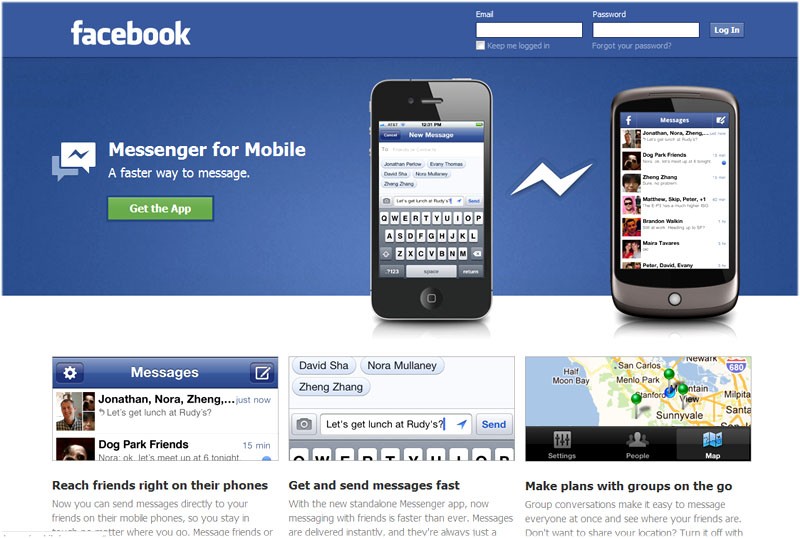
facebook messenger updated

Hello folkes. You would have heard about the Facebook Messenger that has been released lately. Facebook Messenger application covers the live chatting part, plus it supports normal messages too. Whats the reason behind an individual chat application when we already could chat from the native Facebook for mobile app?


Facebook Messenger chat


Still blank on that part, personally. Facebook messenger was available for iOS and Android before they launched it for BlackBerry too, recently. The application now supports many new languages. In an all 22 new for Android and 12 new languages for iOS version.


The native Facebook app had the chat feature but it was pretty laggy. I could often get the message of a particular chat faster than the chat window updated itself. At least now with Facebook Messenger we are able to get the chat updates in real time.


Facebook has really done hard work on improving the overall Facebook experience, specially after the launch of Google + and its various popular features. First the Facebook for mobile app got an overall with huge changes to the app. Finding stuff is now a whole lot easier and notifications, friend request etc are all easily accessible. Good Work Facebook.


And yea one thing more, in the Messenger app, you can add the location too. :)


Download Facebook Messenger :


For iOS | For Android | For BlackBerry


Guest Post by Hassam Ahmad Awan. MBT's Gold Star Guest Author.

Add nRelate Below Every Blogger Post Pages—Walk Through


nRelate logo

Yesterday i posted a comparison between nRelate and LinkWithin related post widgets. Today we will be looking into few easy steps by which we can add this cool plugin to our Blogger blogs by following these few steps.


As i mentioned yesterday, that you can install the plugin without registering to nRelate website, but the draw back would be that you wont  be able to customize the widget as per your liking. So follow the steps below including registration.


Step 1: Register for nRelate Partner Login (Free)


Go to nRelate website and click Partner Login as shown in the picture below.


nRelate Login


 Step 2: Installation Time!


Now hover over Install button and click Blogger. A field would appear where you have to provide you blog link where you want to add nRelate widget. Then click submit.


submit blog url


1. Now click Advance version (to be able to edit the plugin later)


nRelate install on post only2. Now it would ask you whether you want to add it to your post pages only or on main blog page too. So people normally only use the related post widgets on post pages only, so thats recommended for you to do so as well.


Finally it would open up a widget called Add page element. There are 2 sections. Enlarge the section that says Edit Content as shown below.


nRelate Add page element


You have to delete the code in orange as shown below.


<style type="text/css">@import url(http://static.nrelate.com/common_b/0.01.0/nrelate-panels-default.min.css);</style>

<div id='nrelate_related_placeholder'/></div>


So now your finaly code would be:


<style type="text/css">@import url(http://static.nrelate.com/common_b/0.01.0/nrelate-panels-default.min.css);</style></div>


 Step 3: Save The Widget


Click Add Widget button and its all done. :) Hope that was easy to follow.


Customization Time! (Optional)


nRelate customization


Now see, you can play with couple of settings from nRelate website. As you apply the change there, the plugin would automaticly be updated on your blog. For customization, go to Manage Tab button (after login) >> Blogger and follow up there. When you are done playing with the settings, dont forget to click save below the very page.


Enjoy the new great plugin guys.


Cheers..


NOTE: Do not copy the codes provided here in the posts as they are only for reference purpose to explain the process. Get the widget from the website as it would be used for future customizations.


Guest Post by Hassam Ahmad Awan. MBT's Gold Star Guest Author.

Fundamental Tips for Google Plus beginners

google plus tipsGoogle Plus has created a lot of sensation among the existing and new social network users. Its rapid success and user-friendly interface is setting new records. Here, are some interesting tips for new users. Learn them well and enjoy this new social media site on the internet:


Let’s invite friends and family

It’s not difficult, but quite interesting to invite friends on your Google Plus account. You can easily learn how to invite friends on your Google Plus account. If interested, then follow the steps:

  • Visit the Google Plus network and login your account

  • Make some sensible and crispy streamline like a message and it should be an invitation, which allows them to join you on this network

  • Next, you will find a textbox where you have to insert the e-mail ids of your friends and family members. Once it’s done, then you can share this message with them, which you have already created

  • Now, you have to click on the “share” button. By doing this, your message will be floated to those guys. Only those can receive your message who have been invited by you

  • After this, everyone will receive an e-mail message where they can click on the specified Google Plus link to get connected with each other

Yes, you can also remove them

You can organize your friends with this great social networking site. This new social media site is fully loaded with different features like adding or removing friends from your account. It’s quite easy as you can add lots of friends and your family members in your “Circle.” Then, you can also have the right to remove someone.

We all know that sometimes we have to take some strict actions against some “rotten eggs” for our security and peace of mind. The annoying personalities can be in our own social circle. So, it’s better to kick them away before they create some trouble, especially when you have added your family members.

You can follow a logical sequence, which can direct you to get rid of some trouble creators.

  • Start with clicking on the “Circles” option, which you can find on the top navigation of your account

  • Now, you can double click on the specific circle where he is added. It will generate the list of all members of the particular circle

  • Select and just remove him from the face of your circle, but don’t try to click him again. It will “de select” the option and he will remain in your circle. Once you click it, it will be highlighted. Now, just remove it by clicking “remove” option available on the top

You can download data from Facebook

If you are already using Facebook or some other social media site, then it will be quite difficult for you to live the dream on Google Plus. How would you be going to interact with them, as they will be on Facebook and you will be isolated here?

Don’t worry! Google Plus has better options for you as you can move contacts from you Facebook account to your new Google Plus account. You don’t have to make a lot of efforts to move them onto your Google account. If you think that moving contacts from your new account is difficult, think again, because Google can facilitate you very well.

You can use Yahoo to transfer all of your contacts to this new account of yours:

Note: Please read this separate tutorial on transferring Facebook contacts to Google+

  • Visit Yahoo and make a new account there. After creating account, you can go to the “contacts” option

  • After that, you can select the option, “import contacts”

  • Now select, “Facebook”

  • Make sure all of your contacts are available there

  • Now, open your account at Google Plus and then open, “Circles”

  • Here, you have to click on “Find” and then click on “Invite”

  • Then again, click on Yahoo and follow the sequence by selecting the option, “invites”

  • It’s done now, all you have to do is to arrange them in your “circles now

It’s time to customize the page

Don’t you want to have a page, which is customized according to your personal likes and dislikes? If you do like, then you can customize your page easily. After all, it’s all about your impression on the profile page and you can’t compromise on good impression. Your impressive profile will reflect your aesthetics.

You can follow these steps to easily customize your profile:

  • First login, then click the third tab

  • Your profile will be visible, at the right side, you can click on “edit”

  • Now, edit the page as you like

  • Your mouse movement will make certain content “editable.” So, do what you want to and make it in accordance with your own taste and preferences

Did you see the magic? If not so, try applying these tips properly and open the wonders of Google Plus today!


This article is written by Kevin Moor who writes for online-virus-scan.org, a site reviewing and testing various online virus scan issues.

4 Reasons Why I Would Recommend Moving To nRelate From LinkWithin Plugin


nRelate home page


 Internal linking is extremely important for the sake of better SEO and for easy navigation. Many people use LinkWithin for this purpose. If you're wondering, what LinkWithin does, its basically a plugin which publishers can use on their blogs/websites which shows related posts for every individual posts that we have. Earlier i mentioned simple steps by which we can add this plugin to our blogs.


But guys the point is a bit different this time. LinkWithin is more famous than nRelate but here is the deal. nRelate does exactly what LinkWithin is capable of, but.. it offers a lot more in fact. Yesterday i got an email from nRelate asking to give a try to their plugin. I had no plan to place it above the popular plugin, LinkWithin. But believe me, after going through the details i found it better.


nRelate (Related post widget) is available for WordPress, Blogger and Tumbler at present.


Why nRelate is better than LinkWithin?


1. You can customize your nRelate related post widget to set the color scheme of your blog.


2. nRelate allows to choose between the Thumbnail related post, or simply the links of the articles that match the current post.


3. You can join nRelate ads program (that is free to join).


4. You need to register in order to get the controls for customizing the plugin. Or you can simply apply the widget directly to your blog, but in that case you wont be able to customize the app.


I have also heard that LinkWithin redirects first to their website and then takes back, taking the hard earned page rank juice to their site. Thats not fair! Any ways guys, nRelate has much to offer and i would definitely recommend it over LinkWithin plugin.


Have a look at eRelate and decide it for your self. Comment below about your experience with the new related post widget from nRelate. We would love to hear.


Cheers..


Guest Post by Hassam Ahmad Awan. MBT's Gold Star Guest Author.

iOS 5 Tripled Twitter Signups Rate Due To Ease Of Use


iOS 5 twitter integration


  If you are into technology and kept your self updated with the Twitter-Apple partnership, over Twitter integration, then there is another exciting news for you today. Twitter Chief Dick Costolo mentioned at the Web 2.0 summit on Monday, that iOS 5 was the among the major factor for the Twitter growth lately.


Due to the Twitter integration in iOS 5, people found it far more easy to signup for Twitter through the easy steps that Apple is known for. Integration in iOS 5 means that it is now the part of iOS 5 and not like a separate application that people were used of before. That means, more the people update them self to iOS 5, more Twitter signups would grow. Dick Costolo was really keen to see the future progress that this partnership has to offer to Twitter in all means.


The Chief went on to characterize Apple as a logical fit for Twitter. After asking why Apple didnt added support for Facebook integration, he said:


"You'll have to ask them "


Many believe that its the result of reservations of Apple over Facebook privacy, that many still fear today. Twitter grew from 100 millions updates per day to 250 million updates every day today and have seen a mobile growth of 40% every quarter.


Dick Costolo


"We think that we can be on two billion devices around the world, and
reach every person on the planet
," Costolo said, "and the way to do that
is through simplifying.
"


Twitter Integration Overview: whats its all about


Did Twitter integration in iOS 5 help you in any means? Let us know through the comment section below.


Guest Post by Hassam Ahmad Awan. MBT's Gold Star Guest Author.