Showing posts with label Traffic Tips. Show all posts

5 most practiced Ways of building Active blog Readership


Building readership

So you've taken the first steps into blogging, and have set up a blog (and purchased a hosting or at least a domain hopefully)? Far from the job being done, we are only now getting started. Granted that choosing a blog topic, setting up a blog, buying a custom domain and hosting etc are some of the hardest parts. But that's as far as your decisions go. The next phase is to build upon those decisions. So now that you have started a blog, it is time to start building a readership!


Here's what we have covered so far in this blogging series;


Part 4: 5 most practiced Ways of building Active blog Readership


Social media


Social media is your one-stop-shop for building your readership. People nowadays don't just want to visit websites. They want content to appear right on their screens while they are surfing through their social network news feeds. For this, you need to create social media profiles for your business, because you need people to visit your site again and again, and not just the first time.


Google Plus


Google has gone to great lengths to make people use its social media that is Google Plus. Now, as a regular internet, you might not have fancied it much. But as a blogger and/or a webmaster, having a Google Plus presence is a must. Google Plus users gain an advantage in search results as their content can be +1'd by readers, they get an AuthorRank which informs PageRank, and so on.


You can create a fan page on Google Plus for your blog right from your own personal account. Read the following to get an idea of what Google fan pages are, and how to create them.


Google Plus is about making connections. Follow others, so that they may follow you back. Participate in conversations, and generally socialize with people. Google favors social people when calculating AuthorRank.


Facebook


More than a Billion people use Facebook. Almost every internet user is using Facebook. As a business, your online presence on Facebook is a must.


Facebook Pages, much like Google Plus Pages, can also be created through an existing personal profile which won't effect the page. If you just go to Pages, and create a New Page (and follow the simple instructions) your page will go up live on Facebook for everyone to see. you should share your updates on this page, and it will get you likes and a steady referral traffic in return.


With Facebook, your posts can go viral easily. People who like or comment on your posts also make your post visible to their friends, who in-turn, can make it visible to their friends. This way, you can reach out to a lot of extended circles. You can actually see how viral each of your posts is.


Email marketing


Email marketing refers to reaching out to people and marketing yourself via email. It is perhaps the most important aspect of building a readership, and here's why.


Normally, new users learn about your website via search engines. But what if you had thousands of unique visitors daily, but then got hit by a major Google algorithm update such as the Panda? All those visitors would vanish instantly! If only there was a way to retain all those, or even a fraction of those visitors! This is where email marketing comes in.


email marketing


People who like the content on your site might want to visit again, and might bookmark your site. But even bookmarking is temporary, and people often tend to delete them. You need to make them stick - to make it more substantial. Getting people to subscribe to your blog is a great way to do so. They will simply leave an email address, which will be added to your subscriber list. You can then market your brand to these subscribers via email, so they can access your content without visiting your site. On top of that, the traffic that comes from such people is steady, and not prone to change with changing search algorithms.


Feedburner


There are various email subscription software that you can employ on your blog. One of them is Feedburner, which is free. It is powered by Google, so you can simply log in using a Google ID. To be able to use it, create an account (if you don't already have one), and then from the dashboard, burn a new feed.


Enter your blog's URL, and then click Next. Then follow the simple instructions to create a new feed. This feed comes from your blog, and is updated whenever you create new content on your blog. This feed can then be used to send out newsletters and updates to your subscribers, power RSS feeders, and so on.


Premium email software


If you think you're pro enough to move away from free services, then you can try premium ones like Aweber. It is a professional email subscription software like Feedburner, but with a lot of options for scheduling, customization, auto-responding, and email marketing, something Feedburner lacks as a freeware service. Aweber and similar services are excellent for business. But for most bloggers, and especially starters, Feedburner will do the trick.


These channels should be enough to get you started for now. And indeed, they might all you need for a long time. We here at MBT built our readership by using these alone. It isn't hard, it's just time-consuming. If you have the patience, you will definitely succeed.


Got any questions? Feel free to ask. We'd also like your feedback on what basics you want to know, so that we can add it to our series. It helps others learn. And learning is what we strive for. Cheers :)


10 Tips To Improve Google AuthorRank To Increase Traffic


Top 10 tips to improve Google AuthorRank


In the last couple of posts, we have been talking a lot about AuthorRank; what it is, and how it differs from PageRank. So by now, you should have a pretty good idea of what's going on, or should I say, what's gonna happen in the near future. The concept of ranking Agents (Authors) for better search results and elimination of spam seems pretty solid, and this development could change the ranking and SEO game as we know it. And I'd put good money on it. Needless to say, it's high time we all started preparing for it. In this post, we'll share the top 10 tips to improve your AuthorRank and thus, to increase your traffic.


Google AuthorRank Series


Part3: 10 Tips To Improve AuthorRank


While Google PR was mostly about the core of the content, AR focuses more on how the content is received and how it performs. Hence, a lot of emphasis on going social with it. Here are the top 10 tips you need to know before Google officially launches AR.


1. Write great content


The first step, of course, would be to come up with really good content. Good content is the cornerstone for further developments. And if you want your readers to like your content and engage with it, then make your content worthy of such. And it should be something worth sharing as well. Not something you can find on every other site.


2. Set up Google Authorship


The next necessary step would be to set up Google Authorship. This is very important, because this is how Google will identify you, and assiciate your content with a digital signature. Not only do you get a nice little rich snippet next to search results, along with your profile picture, but you also get recognition. And once you do, only then will you get an AuthorRank. We have done a nice little post about it, so be sure to check it out!


3. Go Social


As mentioned above, the emphasis is now shifting towards 'social'. And this is one big factor that will effect AuthorRank. Your presence on social media, and your fan following will be crucial to your success. So try to get active on popular social media, such as Facebook, Twitter, Google+, Pinterest, YouTube, and so on. Try to increase your fan following as much as you can, and interact with people.


Go social


4. Pay attention to Google+


While socializing, pay special attention to Google+. Google wants you to use their social network more and more. So the more you share your posts on Google+, +1 posts, comment on others, and get followers, the better AuthorRank you'll get. Also, the number of people who have you in their circles is a key factor too, so don't forget that.


5. Create valuable contacts


Just like backlinks contribute towards PR, your contacts, especially those on Google+, contribute towards AR. The number of contacts, as well as the quality of contacts will also matter. So start connecting and socializing with people, and keep a look out for people with a high AR. Because a high AR contact will have about the same effect as a high-quality PR.


6. Encourage people to share


Another factor that Google will take into consideration when evaluating AR is how your content is received and performs. The more +1s it gets on Google+, the better it'll be for you. So encourage people to share your content, and participate in other conversations so that others will participate in yours. But before you ask others to share, make sure you create content that's worth sharing.


7. Communicate


Your AR will also depend on how much on-site engagement you have. This is measured by how many comments you get on your posts, and how many you reply to. So to increase your AR, get into the habit of replaying to your readers, and encourage them to participate in your debates.


8. Specialize in a topic


AuthorRank will be topic dependant. This means that if you get a good AR in one topic, say SEO, then it doesn't follow that you'll get a good AR in something related to science. Similarly, a professional chef will have a good AR when it comes to cooking recipies, but that doesn't give him a good AR in technology related posts. So for that, you probably will need to focus in one field, at least at first, and get a good hold of your AR on that particular topic before moving on to others.


9. Guest blog


With the introduction of AR, guest blogging will gain a lot of traction. People would want guest bloggers with a good AR to write on their blogs, since it will help their own PR in turn. And people would also want to write on high PR sites to get a good AR for themselves. So get used to this idea beforehand. For AR, it is important how many sites you have published your content on, and how good those sites are. When AR comes, you don't want your old guest posts on cheap, low-quality websites to hold down your AR. So concentrate on writing for a few good quality sites, and you'll definitely get a good AuthorRank.


10. Help people out


Finally, help people out as much as you can. Interact with your readers, and answer their questions to encourage them more, since socializing is what this is all about. Readers want a source they can trust. And they'll trust and respect you if you reply to them and help them out.


There goes the top 10 tips list. Hope you liked it, and have learned something from it. If you have questions, feel free to ask. And do tell us how you liked this small series. Good luck :)


How to Help Google Webmasters Know if your Site is Hacked?


website hacked labelThese days when online earning through blogs and websites is turning into one of the most appealing businesses, there are unavoidable risks of getting your website been hacked. How about malicious content been injected on your website, forcing your readers to never come back to pay a visit? The thought is itself awful, isn’t it? A good news is, Google has lately announced that it has some solutions for those webmasters who are the victim of website hacking.
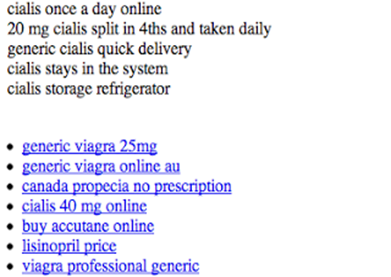


As I have been saying in my previous posts, Google is smart enough to keep a track of everything, all the time and hence according to the new policies, the site that would be detected as a “hacked website” would be displayed with a warning message “This Site may be compromised”. This has been done to ensure safety of the users who might find the affected site in the search results and find themselves been overloaded with the malicious content.


What makes this news worthy to read is the fact that as a blogger, it is important for you to find whether your blog/website is at risk or not, because in case, it is, then there are wide chances that your website becomes a source to distribute the malicious content among your devoted readers. Moreover, when Google realizes that your site is compromising to facilitate the distribution of malwares, even your site would be having a warning indication in the Google search, affecting your page ranks and your earnings terribly. Therefore, Google has advised all the webmasters to verify their site in Webmaster Tools. Although there are some specific tips for preventing and removing malware from your site, it is still better to be on a safer side to avoid going through a bad phase in business.


A disease can be cured only if you predict it right; however, a dilemma here is that most of the Webmasters do not actually realize when their sites have been infected with the injected malwares. To overcome this, there are two common ways that can help in letting you know that there are malicious third- parties on your website. Let us first see these two ways and then we will talk about how to get your site cleaned from this unwanted mess.


1) Injected Content


As a blogger, you might know by now that what actually these hackers aim for, yes, all they want is to drag your potential traffic to their own sites. One common attempt of doing so is to influence search engines by injecting the links of their sites. This is done way too intelligently where these links are hidden, making their detection difficult by the webmaster. For example, injected malwares appear with your content, making it difficult for the webmaster to identify that he is a victim.


clip_image002


Solution:


Making it easier for you, Google will diagnose all the sites for such injected content, and if your site is one of them, you will receive an e-mail about the notification of this detection. If you would find the content risky, you can then use Fetch as Google tool to check the content of your site.


2) Redirecting Users


There would be hardly anyone who would like to be redirected every time when he visits a site. A good way to hack a site is to redirect its users to malicious sites. This is what the users really hate and might never return to your site in fear of getting redirected again to spammy sites. Again, this can be done in several ways where the hacker might target the viewers who access your site through their mobiles or those who are coming from search engines. It was interesting to find that what actually hackers do. They actually modify the configuration files and serve different users with different contents.


 configuration files


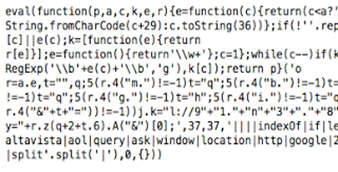
Apart from this, such a hacking can also be done by injecting JavaScript into the source code of your site.


javascripts


Solution:


In order to avoid this, you need to keep a track of your server configuration files for such modifications. For the malicious behavior due to the JavaScript injection, the JavaScript may be designed to hide its purpose, helping terms look like, for example, “eval”, “decode” and “escape”.


Cleanup your Site and Prevent Hacking!


With the two common ways stated above, you can get to know whether your site is compromised or not. If you find your site in risk, then it is necessary to clean it up from the changes that the malwares have brought with them, also preventing your site from getting hacked in future again. You can clean up your site by following the instructions given by Google and prevent such compromises too.


However, you need to consider the sensitivity of the matter and must contact the Google team, informing about your site been compromised. For that you need to submit a reconsideration request after you clean up your site. This is important so that Google can then remove its warning label (indicating you as a compromised site) from its search results.


With that, the post comes to an end, We hope that nothing happens to the sites of our readers, because once affected, it really can bring disastrous outcomes.


Best Wishes,


Guest Blogging For Backlinks - What Does Google Think?


Guest Blogging

Guest blogging is a very popular way of getting backlinks for a site. It is an effective marketing strategy for a blog, and allows you to publicize you content to places beyond your reach. In short, guest blogging is when you write for another website, free of charge, in return for a backlink (or two). And we have already talked about how linking is important for your website. But doesn't it all look a bit convenient? As in, anyone can write (or spin) articles, and get them published on other websites and get more links to rank higher in Google? Here is Google's take on the subject, along with some best practices.


Is guest blogging worth it?


So, is guest blogging is worth it, and is it beneficial for a site or site owner? Well, there is no simple one-line answer to that. First, think about what are the best case and the worst case scenarios in guest logging?


The best case scenario would be when you are a good quality writer, and have something valuable to contribute to a website. From Google's viewpoint, it's all about quality. In the case of the top bloggers out there, they can post as many guest posts as they want, and the host websites should be glad of gaining something useful. Even if you're not a well known bloggers, but you can write well and create new and unique content, then it's your opportunity to get known in the world out there while making links. In such cases, you can dish out as many guest posts as possible, and build links to your heart's content.


But some people obviously don't know where the line exists...


Knowing when to stop


Sadly, this in no Utopia, and when there's an advantage, it's bound to be exploited. Sure, guest posting is a great way to build your links and traffic. But a lot of bloggers out there have started exploiting this to their advantage,


A guest post is only good as long as it's valuable, and has something to contribute. People often write one blog post, and submit it to multiple blogs as "unique" posts. When more than one blog accepts those posts, they become duplicated, hence putting the blog's integrity at stake. While this may not harm the guest blogger directly, it will effect his reputation.


Article spinning is a very popular practice as well. People write one article, and rewrite it multiple times and change the wording so it won't be picked up in a plagiarism checker. This might be smarter than submitting the exact same article to multiple blogs, but it still is dumb, and a noob's way out of things. And this is where Google steps in.


If Google detects that you have submitted similar guest posts then all those backlinks might be discarded. So far from proving useful to your website, it'll only be considered as spam, and will be a waste of your time.


So, it's important to know the line, and when to stop, because pushing it too far could have adverse consequences. Follow this basic ethic in guest blogging, and spread it to others too! Cheers :)

Always Drive Traffic, Never Buy Traffic

drive-trafficToday i will explain you in detail with my personal experiences on Driving traffic on blog/website. First of all, a short tip to drive traffic on your blog/website for FREE. If you want free traffic, than simply establish a good looking blog, write lengthy and quality articles almost daily. If you continue doing this, you will surely have thousands of visitors in a short span of time.

Ok, now the main thing which i want to share with you is the meaning of ALWAYS DRIVE TRAFFIC, NEVER BUY TRAFFIC. There is a big difference between Good Traffic and Good Quality Traffic. Always remember that good traffic is not enough, you should have Quality traffic.

If you want thousands of visitors on your blog/website daily and you can spend money, than advertising is the best opportunity. But the question is WHERE TO SPEND THE MONEY? Obviously your money is very precious and you do not want to loose even a single dime of it. So choosing the right Advertising Network is very important. You may have seen many websites offering Thousands of Guaranteed Visitors for just few dollars. But you know, that traffic is only good traffic, not Quality traffic. It will not help you in getting a good page rank nor will it help you in making money. I have experienced such Ads Network LINKBUCKS. They provide 10,000 visitors for just 10 dollars ! but believe me, that traffic was NOTHING for me. It was simply a waste of time and money. Because in that case, your ad is shown forcefully to the user. Just think by yourself, when you click to download something and a window opens saying that you have to wait for 10 seconds to resume the download, Have you ever seen the advertisement that is shown to you in those 10 seconds ? NO. You just wait for those 10 seconds and as the time is over, you simply leave the ad and go to your Download file Page. Same will happen to you if you advertise on these networks. Your page will be loaded in front of others forcefully and they will just ignore it. SO please never try these Ads Networks. They will give you NOTHING. This is BUYING Traffic.

If you really want to advertise your website/blog, than you must choose any one of the following :

  1. Google Adwords
  2. Facebook Advertising
  3. Chitika
  4. Adbrite
  5. Clicksor


I personally tried Adwords but believe me i was not satisfied due to my low budget. If you have low budget for Advertising, than i will strongly recommend you to use Facebook Ads. They will help you a lot. But if you have a strong Budget, than you can go through any of the above.

How to create effective Facebook Ad?

facebook-ads1Just log in to Facebook, Go to Ads tab ( mostly in your Sidebar ) , Create a Campaign and finally create an ad. Give a strong Description and an attractive Picture . Also remember that give Description relevant to your blog's Content. Do not fool people by SAYING SOMETHING AND GIVING SOMETHING. It will surely not help you. Now time for placing Bids ( How much you want to pay for your Ad ). There are two methods CPC  ( Cost Per Click ) and PPC ( Pay Per Click ). I personally tried these both and i will recommend you to use CPC ( Cost Per Click ). Because in Paying Per Thousand Impression, there is no guarantee that you will got the clicks on your Ad. In my case it happens, i got 4000 impressions and got just 4 clicks but i have to pay 4 dollars for impressions. Just imagine, 4 dollars for for clicks ( visitors ) . How costly it is :P. So i recommend CPC because there is a guarantee that if you are paying you will get the click ( visitors ). I personally tried and believe me i got more than 1,700 Likes on my fan page for just 30 dollars. In case of website/blog, 1,700 quality visitors for just 30 dollars.

You can adjust your price of the ad. If you have a good budget, than you can pay through the suggested Bid which Facebook gives you. If you will place the suggested bid, than your ad will be shown fastly on the entire Facebook network. But if you choose your price and a low price, just like me, i placed price for my ad 0.02 dollars, in this case due to low price your ad will appear slowly on the entire network but, it will bring quality traffic. This totally depends on WHAT IS YOUR BUDGET.

So i think now you got the meaning of ALWAYS DRIVE TRAFFIC,NEVER BUY TRAFFIC. You buy traffic through the networks like Linkbucks and you Drive traffic through facebook like networks. Driving traffic will surely give you a better page rank and many other gifts. In case of facebook ads, your ad is just shown to the user and now it is his will that whether he wants to click or not. This is DRIVING TRAFFIC

Hope you enjoyed this little guide. :)


Guest post by Haider Afridi. Running a Fan Club on Celebrity Salman khan at skfanclub. You can contact him @Facebook

Show Author Profile Picture Next To Google Search Results

photo thumbnail in search results

Google webmaster team has introduced an easy way of displaying your Google+ profile picture next to the links of your website or blog or any content that you generate. You might have seen profile pictures or image thumbnails of Google developers appearing on search results page. Previously only reserved users had this option but now thanks to the generosity of Google+ social network, even you can display your profile picture next to all your articles or webpages that you own. This will be a proof that you are the sole author and owner of that site or blog. The author information will be shared globally on Google results and your visitors can see your image and author information link next to your article. This is a great way to attract visitors and increase website traffic. Lets learn how to do it!

Update: A Complete and Working tutorial Has Been Published here »» CLICK HERE!

Show Author Photo in Google Search Results Page

You need three things,

  1. A website or blog that you own
  2. A Google Plus Account
  3. An About Me page on your blog. If you already have an about page where information about author is given then you need not worry. However if you don’t have an about page then you must create one now. 

If you have met the above three conditions then you may follow these steps:

  1. On your website sidebar or header or footer add this link,

    <a href="https://plus.google.com/GOOGLE+ ID"
      rel="author" target="_blank"> Join me on Google+</a>

    PS: Do not remove rel="author" else the trick wont work!

    Replace GOOGLE+ ID with your Google profile link id. You can get your Google Plus ID by going to your Google Plus profile page and then copy the digital code from your browser address bar as shown below,

    Google+ profile url

    Google plus ID

    You can edit the text Join me on Google+ if you wish.

    Example of author link on my blog:

    google-plus-author-link

  2. Next go to your About Me page and add this link anywhere you want,

    <a href="https://plus.google.com/GOOGLE+ ID"
      rel="me" target="_blank"> My Google Profile</a>

    Again replace the Google+ ID with your Profile ID. You can edit the text My Google Profile if you wish.

    Example of link on my blog:

    about-page

  3. Now go to your G+ profile and click the “Edit Profile” button

    image

    Then click on the "LINKS" area as shown below,

    google+ links settings

    Add your Blog/site homepage URL and also the URL of your About page. You can also add your Facebook and twitter links if you wish.

    1. Go to http://profiles.google.com/me/plusones.
    2. Click Edit Profile.
    3. Check the Show this tab on my profile checkbox.
  4. Next Upload a quality Profile Pic of your self . Your image will look best if it is 150px by 150px in size. To learn about Google+ image Dimensions Click here

    image

  5. Finally Save your profile and you are almost done.

Test How your profile photo will appear on SERPs

Now you need to see how your image will appear. Click here and submit your homepage link in the search box and hit preview as shown below,

google-profile-image

If you have followed all steps correctly then you will be able to clearly see your photo and name appearing next to your blog title and description. You will also see this green message: "Verified: Authorship markup is correct for this page"

Your authorship is verified only when you have fulfilled all requirements correctly. I will summarize todays tutorial once again so that you may know what to do:

SUMMARY:

  1. You need to add two links on your site. The first one is to be added on your sidebar, footer or header. The second one is to be added on your about page.
  2. Add your site homepage link and about link on Google+
  3. Add a clean profile photo of at least 150px by 150px in size.
  4. Check the Show this tab on my profile  box
  5. Finally Save your profile
  6. Test your homepage link and see if your author information appears next to your site url.
  7. If the photo did appear then say Bingo and you are all done! :)

If you needed any further help then feel free to let me know. Have fun. :>

Note: It will take about 48 hours for your photo to appear globally on Google results page. Even my photo thumbnail have not yet appeared on Google.com so it will take sometime till Google display it. Kindly be patient.

Which Social Networking Buttons Should You Use On Blogs?

social-networking-buttonsWeb Traffic a word heard everywhere and to achieve it, web owners will try every possible method to push themselves to a better level. In order to achieve web traffic the simplest and most effective solution is the use of Major Social networking websites. With the rapid advancement and development of Internet, more and more bloggers and webmasters are getting addicted to social tools and services for the purpose of inorganic traffic flow. Social networks are expanding widely and every year we hear of another name. By far there are over 350 big and small social connecting sites. Just a month ago we heard of Google+ and God knows how many more will evolve in future.

The question here is that which social buttons should you use in order to increase the number of your unique visitors and thereby daily page views. It really destroys readers interest when he sees too many buttons on your site, eating their internet speed with their heavy load time. Providing efficient and easy navigation to user should be our goal. If you add each and every social media buttons like Digg, reddit, delicious, Twitter, technorati, Facebook like button, Facebook send button, Google +1  button, linkedin, stumbleupon and so on then obviously you are increasing your web blog load time discouraging both visitors and search engines. Readers enjoy fast load time and search engine robots enjoy crawling data at a faster rate. According to Google new webmaster guidelines, all websites with slow load time are penalized by Google and will be ranked low in SERP (Search Engine Result Page). So lets select the best traffic value buttons for your blogs.

Give Priority To Big Social Networks

By big I mean social networking websites with extremely high traffic and audience value. Use social buttons which have the greatest number of online registered users for example Facebook. It has around 750 Million active registered users. The probability that your visitor is a Facebook user is near to 90% so make sure you Keep Facebook at the top of your priority list. Second comes Twitter with 175 Million users.  Third comes the new social Giant though new but soon it will expand like fire and this new giant is of course Google+. Fourth comes LinkedIn with over 100 Million active users.


Social Networks That Counts Second

Now lets look at the traffic value of some other social networking sites that comes in our second priority list.

These names include Stumbleupon with 7 Million users, Digg with approximately 1 Million registers users and reddit.

Now here goes the order of priority from best to least best:

  1. Facebook
  2. Twitter
  3. Google+
  4. Linkedin
  5. StumbleUpon
  6. Reddit
  7. Digg

You must Keep the first 4 buttons as the main social sharing buttons on your blogs and keep others on Addthis Share button which contains over 350 social networking sites. This way you keep the load time performance of your blog high and will receive a handsome traffic in return.

What buttons do we use?

You can see Twitter, Facebook Like, Stumbleupon and Google+ buttons as our main focused buttons on MBT Blog and that is contradictory to the priority list I shared above. I have skipped Linkedin because it is mostly used by business professionals and my site does not address them therefore I have used stumbleupon instead. So you should decide yourself which buttons are more important for your blog's growth and success.

You can use the following social networking widgets for customizing your blogs:

I have published many widgets on social networking buttons. You can use the search box above to choose the best widget design for your blog.

How to Increase Website Traffic With Google+ Sparks?

SPARKS-WEBSITE TRAFFICJoining a social network site for your website marketing is productive only when you know how to make best possible use of this free service. Google Plus has introduced a feature no social networking site could ever offer and this great Traffic boosting tool is called Google+ Sparks.

Sparks is the second most important features of Google+  after Circles. With sparks you can search for your favorite content, hobbies, sports, activities, tools, tutorials and much more. You can receive updated and most latest and recommended content on your Google+ homepage without having to search for it online using Google search or any other directory or service. Watch the video below to better understand how sparks work and how can you create your own sparks which in other words means "Favorite Topics"


Drive Traffic From Google+ Sparks


How can webmaster use Sparks to Increase Site Traffic?

Now here comes the most important question. How can we use Google+ to generate traffic to our website or blogs the way we did and still do with Facebook. Can Google+ provide you with more relevant and high amount of web traffic than Facebook? My answer is simple and precise: "With Google+ Sparks, you will forget thinking about generating Traffic From Facebook forever"

In Facebook we create a like page, wait for the fan list to increase and then we share our Blog feed on Facebook so that readers could receive updates on FB and may then visit your site. The biggest drawback of this method is that only those can see your website or blog updates on Facebook who are your fans or have liked your page. What about the remaining 750 Million Facebook users who do not even know if you exist or not?

Now coming to sparks. Fortunately the biggest advantage this beautiful feature has over Facebook is that you can now share your content with millions of visitors using Google+ who does not necessarily have to be in your circles or following you. You just need to consistently share your posts on your Stream page selecting the Public Circle.

Google+ Sparks Traffic Tricks:

There are some tips that you can apply to receive as much traffic as possible from Sparks. When you share/post a link, Google+ automatically fetches the page title and page description along with a thumbnail image. Your shared Post will appear in this format:

Without Thumbnail:

LINK-FORMAT-IN-gOOGLE +

You can see three important sections here which are,

  1. Page Title : On Clicking it the user will be taken straight to your webpage
  2. Homepage Link: Users can see your blog or website link
  3. Page Description: The first paragraph or first few lines of your webpage will be visible to Google+ users

If you observe carefully Google has formatted links in Google+ similar to the links on Google Search results page. This has an immense traffic significance and the tips and tricks below will further help you how to make best use of Google+ Sparks.

Sparks algorithm is based on fresh updates. The most recent share will make to the first page and old posts will die over time. So you must consistently share each and every webpage or blog post link on Google sparks daily to ensure you get maximum traffic. This is how you should share a link on Google+

  1. Go To your Google+ homepage
  2. Under the stream box choose the link option

posting link in Google+      3.  Now paste your webpage link or blog post link inside the box and hit enter

      4.  Choose a good thumbnail using the arrow keys on the top of thumbnail as shown below

blog post on Google+

      5.   By default the Public circle will be chosen which means your link will be shared live on Google+ with all users. You must also choose your custom circles to drive even more traffic by clicking the "+Add more people" link

       6.    Finally hit the green share button and you are all done!

Your posts will be shared automatically in sparks/categories according to your Post Tiltle keywords. Repeat the same process every day for all fresh content on your webpage. You must do this even for already published blog posts.

How to Remain on Top on Sparks page?

The only logical answer is that share links as much as you can. As I earlier said that only real-time updates make it to the first page. Therefore you must  Post each and every webpage link of your website regularly and do this as much as time allows you. You will find a significant change in your analytics and once you get an idea on how to use it you can expect to receive thousands of visitors per day from Google+ alone. I hope this little info proves helpful to all of you. If you have any suggestion, question or brilliant Google+ traffic tip then you are most welcomed to share it with us using the comments box below. Stay safe and be happy always. Peace out! :»